Organic & Local
Google Business Profile for Restaurants: The Practical Setup Guide
Your Google Business Profile is the free listing that drives the map pack — the biggest local-search lever a restaurant has. Here's how to claim it, complete it, and keep it working.
Your Google Business Profile is the free listing that decides whether you appear in the map pack — the short list of restaurants Google highlights on a map above the regular results — and it is the single biggest local-search lever a restaurant has. When someone nearby searches "restaurants near me" or "brunch downtown," this profile is what puts you in front of them. This guide is the practical, operator-focused setup: how to claim it, verify it, complete every field that matters, and keep it working. It is the natural companion to our restaurant SEO guide, which explains the wider local-search picture.
If you knew it as Google My Business, this is the same thing under its current name. Google publishes its own documentation, and it is worth reading, but it is written for every business type. This is the version for a restaurant.
What a Google Business Profile is (and why it wins)
Your Google Business Profile is the free listing that powers three high-value spots: the map pack in search results, your business on Google Maps, and the information panel on the right of a branded search. It is where diners see your hours, photos, menu link, reviews, and directions — often deciding where to eat without ever visiting your website.
Google ranks local results on three factors, per its own how local results are determined guidance: relevance (how well your profile matches the search), distance (how close you are), and prominence (how well-known and well-reviewed you are). You cannot move your restaurant, but a complete profile and steady reviews are exactly how you win relevance and prominence.
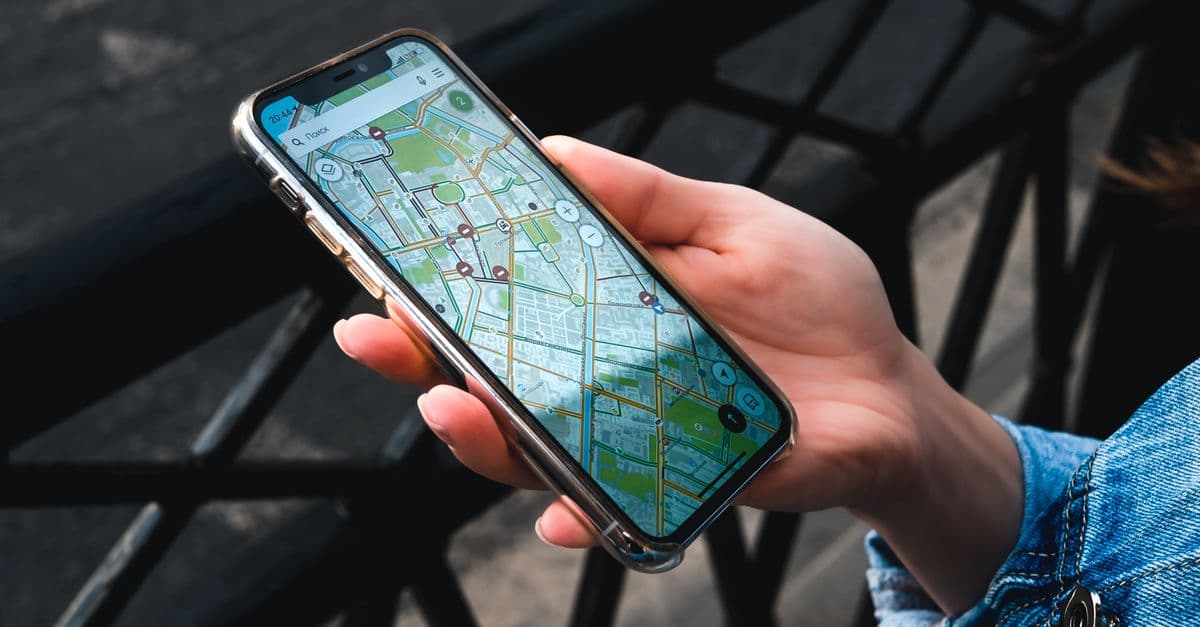
 A person using a map app on a smartphone on a city street
How to get your restaurant on Google Maps
Your Business Profile is your place on Google Maps, so getting on the map and setting up the profile are the same job. The short version:
- Search for your restaurant on Google Maps to see whether a listing already exists. Google often creates one from public information.
- Claim the existing listing, or add your restaurant at google.com/business if there is none. Never create a second listing for the same place.
- Verify that you run it. Until you do, you cannot control what the listing says.
- Complete the profile: exact address and map pin, category, hours, menu, photos.
- Check the pin. Open your listing in Maps and make sure the marker sits on your entrance, not the middle of the block, so directions bring diners to your door.
Steps 1 to 4 are covered in detail below.
Step 1: Claim and verify your profile
- Create or sign in with a Google Account for the business. Use a business email if you have one, so the profile is not stuck on a personal account. A standard free Google Account is all you need — there is no paid "business account" to buy.
- Find or add your restaurant at google.com/business. Google may already have an unclaimed listing for you; claim it rather than creating a duplicate.
- Verify it. Google confirms you really run the business, usually by postcard, phone, email, or video. Verification is what unlocks editing and signals trust — do not skip it. You do not need an LLC or incorporation papers; you need a real business at a real address.
Step 2: Complete every field
A half-filled profile ranks and converts worse than a complete one. Fill all of it:
- Name, address, phone (NAP) — exactly as they appear everywhere else online. Consistent details make it easier for diners, and Google, to trust the listing; a mismatched address or old phone number works against you.
- Primary category — be specific. "Italian Restaurant" or "Ramen Restaurant" beats a generic "Restaurant." Add accurate secondary categories too.
- Hours — correct, including holidays. Wrong hours frustrate diners and erode trust fast.
- Menu and attributes — add your menu (or a link), price range, and attributes like outdoor seating, takeout, delivery, reservations, and dietary options.
- Photos — real, appetizing shots of food, interior, and exterior. Google notes that food and drink photos "help customers plan where to eat," so this is worth doing well; our food photography guide shows how to shoot them on a phone.
- Description and opening date — a clear, honest description and your real opening date round out the profile.
Step 3: Use the active features
A profile is not a set-and-forget listing. The features that keep it ranking and converting need occasional attention:
- Google Posts — short updates for specials, events, and seasonal menus that appear on your profile. Posting shows diners the profile is current.
- Answers to diners' questions — make sure the common ones (parking, reservations, dietary options, accessibility) are answered clearly in your profile and on your site.
- Products / menu items — highlight signature dishes with photos and prices where supported.
 Five gold stars above a tablet, representing a five-star review
Step 4: Build the review engine
Reviews are one of the strongest prominence signals and they influence diners directly — often more than anything on your own website. Two habits:
- Ask, consistently. Train staff to invite happy guests to leave a Google review. A QR code on the receipt or table card that links straight to your review form removes the friction.
- Respond to all of them. Thank positive reviewers, and answer negative ones calmly and constructively. Prospective diners read your replies to see how you handle criticism.
Never buy or fake reviews — Google's contributions policy requires that content "must be based on real experiences," it risks your listing, and diners can spot it. A steady flow of genuine, recent reviews with owner replies beats a burst followed by silence.
Common Google Business Profile mistakes
- Never verifying. An unverified profile is barely a profile — you cannot fully manage it and Google trusts it less.
- Duplicate listings. Two profiles for one restaurant split your reviews and confuse Google. Find and merge or remove duplicates.
- Inconsistent NAP. An old address or a different phone format across the web drags down your prominence.
- Generic category. "Restaurant" instead of your specific cuisine leaves relevance on the table.
- Ignoring reviews. Not asking is the biggest missed lever; not responding is the second.
- Stale profile. No new photos or posts for a year signals a business that may have closed.
Measuring your profile's performance
Google Business Profile includes free insights — watch these:
- Searches — how people found you (your name vs a category like "tacos near me"). Growth in category searches means your local SEO is working.
- Views on Search and Maps.
- Actions — what people do after finding you, such as calls, direction requests and website clicks. These are the closest thing to intent-to-visit.
- Photo views — how often your photos are seen versus competitors'.
Getting this one profile right is the highest-return hour you can spend on restaurant marketing — it is free, it is fast, and it sits exactly where same-day diners decide. Once it is solid, layer on the rest: the wider SEO picture, paid search to appear at the very top for high-intent searches, and the full marketing guide for how every channel fits together.
Frequently asked questions
Is Google My Business the same as Google Business Profile?
Yes. Google My Business is the old name for Google Business Profile. It is the same free listing that puts your restaurant on Google Search and Google Maps, so any guide or setting that mentions Google My Business applies to your Business Profile today.
How do you get your restaurant to show up on Google?
Claim and fully complete your free Google Business Profile, then verify it so Google trusts it is really your business. Set an accurate primary category, correct hours, your menu, and real photos, and keep your name, address, and phone number identical everywhere else online. Then earn genuine reviews and respond to them. Google decides local rankings on relevance, distance, and prominence — a complete, verified, well-reviewed profile is how you influence relevance and prominence, which is what puts your restaurant in the map and on Google Maps for nearby searches.
How do I create a Google account for my restaurant?
Create a standard Google Account (a free Gmail address) using your business email if you have one, so the profile is not tied to a personal account you might lose access to. Go to google.com and sign up, then use that account to create your Google Business Profile at google.com/business. Keep the login details somewhere safe and share access with a trusted manager rather than handing over the password, since Google lets you add users to a profile with different permission levels.
What is the difference between a Google Account and a Google Business Profile?
A Google Account is your login — the email and password you use to sign in to Google services. A Google Business Profile is the free public listing for your restaurant that appears in Google Search and Maps, showing your hours, photos, reviews, and location. You manage a Business Profile using a Google Account; the account is the key, and the profile is what the public sees. There is no separate 'business account' you must buy — any Google Account can create and manage a Business Profile for free.
Do I need an LLC for a Google Business Profile?
No. You do not need an LLC or any particular business structure to have a Google Business Profile. Google's requirement is that you are a real business that makes contact with customers during stated hours — which a restaurant clearly is. You will verify that the business exists at its address (often by postcard, phone, or video), but Google does not ask for incorporation documents. Whether to form an LLC is a separate business and tax decision unrelated to your Google listing.