Paid Media
Paid Search for Restaurants: The Complete Google Ads Guide
How to build a performance-driven Google Ads campaign for your restaurant on just a few dollars a day — set-up, day-parting, match types, negative keywords, and what results to expect.
Paid search puts your restaurant at the top of Google the moment someone searches for a place to eat — and you only pay when they click. You set a daily budget (a few dollars is enough to start), choose the search terms you want to show up for, and target only people in your area. Because searchers looking for "brunch near me" or "italian restaurant downtown" are usually ready to dine that same day, paid search is one of the most direct ways to turn online demand into filled tables.
This guide walks the entire process end to end: creating the account, the campaign settings that actually matter, choosing keywords and match types, the negative keywords most restaurants forget, writing ads, day-parting to your open hours, how often to check in, and how to track real results. It works for a single neighborhood spot, a rural diner, or a multi-location group.
 A busy restaurant dining room full of customers
What paid search is, and what it costs per day
Paid search (also called PPC, for pay-per-click, or SEM) is keyword advertising. You bid on specific search terms, and when someone types one of them, your ad can appear above the regular results — even above the local map pack. You set a maximum bid per click and a daily budget. You pay only when someone clicks; if a hundred people see your ad and none click, those impressions were free.
This makes paid search cheap to test and easy to control. A daily budget can start as low as a few dollars, though more budget buys more exposure. Keyword advertising is intensely intent-driven: at the local level it works the way the Yellow Pages once did — someone searching for pizza is usually about to order pizza. Because local dining keywords are still under-used compared with big-ticket industries, costs per click stay relatively low, and a steady, always-on campaign can feed a reliable stream of customers day after day.
For a plain-English primer on how pay-per-click works, Google's own How Google Ads works help page is the best free starting point.
Set up the account
Creating a Google Ads account is quick — Google walks you through it and you fund it with a credit card. Start with Google alone. Only add Microsoft Advertising (Bing and Yahoo search) later, once your Google campaign is performing and you have extra budget to expand.
When you build your first campaign, choose a Search campaign and set its goal to website visits, calls, or store visits — whichever action matters most to you. If Google offers to add a Display or Performance Max component to your search campaign, decline it for now. Keep this first campaign purely search so you can see clearly what your keywords are doing. You can add other campaign types later.
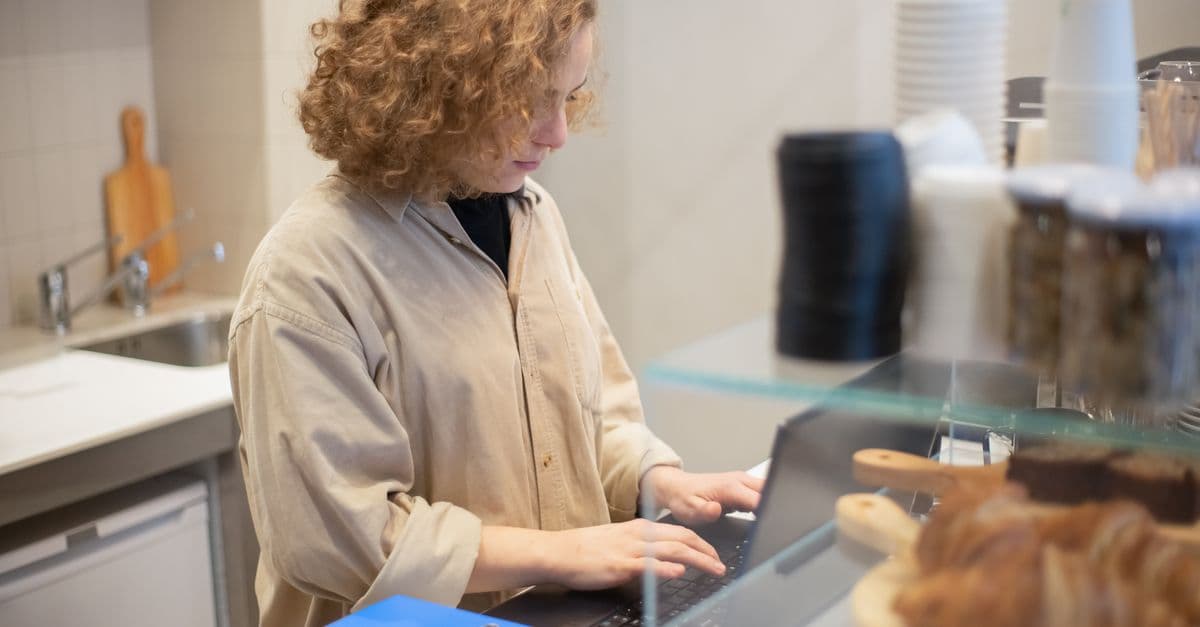
 A person working on a laptop at a wooden desk
The campaign settings that actually matter
Most of a restaurant campaign's success or failure is decided in a handful of settings. Get these right from the start.
| Setting | What to choose | Why |
|---|---|---|
| Networks | Search Network only (uncheck Display and search partners at first) | Keeps spend on high-intent Google searches |
| Locations | Your town, neighborhoods, or zip codes — not the whole country | Google defaults to the entire country; you must narrow it |
| Location options | "Presence: People in or regularly in your targeted locations" | The critical one — see below |
| Bidding | Manual CPC, with Enhanced CPC off, while you learn | You keep control of what each click costs |
| Budget | A daily figure you are comfortable with (even a few dollars) | You still set per-click max bids separately |
| Devices | All devices; most restaurant traffic is mobile | Make sure your site is mobile-friendly |
| Ad schedule | Your open hours and your slow days | The biggest lever for a restaurant — see below |
The single most important setting is location options. After you add your locations, open the advanced location options and change the target from the default "Presence or interest" to "Presence: People in or regularly in your targeted locations." Otherwise Google will show your ad to people merely interested in your city — including someone across the country researching a trip — and you will pay for clicks that can never become diners. Google explains the difference on its location targeting help page.
A note on devices: a large share of restaurant searches happen on phones, and those searchers are often minutes away and ready to walk in. Mobile traffic is just as valuable as desktop here, so make sure your website loads fast and works cleanly on a phone before you send paid clicks to it.
Day-parting: run ads when it counts
Ad scheduling — "day-parting" — lets your ads run only during chosen hours and days, and it is where a restaurant campaign is won. Match the schedule to how your business actually runs:
- A breakfast-and-lunch spot might run ads from 7:00am to 2:00pm.
- A dinner restaurant whose kitchen closes at 10:00pm might run ads until 9:30pm, so nobody clicks after you have stopped seating.
- If you are packed Friday through Sunday but quiet early in the week, run ads Monday to Thursday to fill the tables you actually need to fill.
- Promoting a happy hour? Schedule ads to appear in the few hours beforehand.
Day-parting concentrates your budget on the moments when a click is most likely to become a booked table.
Keywords and match types
Keywords are the center of the campaign. Build an exhaustive, specific list rather than a handful of broad terms. Think in categories:
- Cuisine + location: "italian restaurant [neighborhood]", "sushi near me", "vegan brunch downtown"
- Occasion and need: "happy hour near me", "private dining room", "restaurants open now", "date night dinner"
- Service type: "takeout", "delivery", "catering", "outdoor seating"
Not every keyword suits every restaurant, and many terms need your city or area appended. Location targeting handles a lot of the geography, but including neighborhood names in some keywords still helps relevance.
Match types control how loosely Google matches your ad to real searches. Google supports three: exact, phrase, and broad.
| Match type | How you write it | What it does |
|---|---|---|
| Exact | [brunch downtown austin] | Shows for that query and very close variants only — tightest control |
| Phrase | "happy hour near me" | Shows when the search includes that phrase's meaning |
| Broad | sushi restaurant | Widest reach; Google interprets intent freely — least control |
Favor exact and phrase match, especially at the start. Broad match hands Google a lot of freedom to match your ad to searches that have nothing to do with your restaurant, which burns budget. You can test broad match later, carefully, once your negatives are strong. Google details the differences on its about keyword matching page.
Negative keywords: the most overlooked lever
Negative keywords tell Google not to show your ad for certain terms, and they are one of the most important — and most skipped — parts of a PPC campaign. Say you bid on "best restaurant nyc." Without negatives, you could also pay for clicks on "best restaurant supplier nyc" or "best restaurant jobs nyc" — searchers whose intent has nothing to do with dining with you.
Build a solid negative list from day one. Common restaurant negatives include:
- jobs, hiring, careers, salary (job seekers)
- supplier, wholesale, equipment, distributor (B2B)
- recipe, recipes, how to make (home cooks)
- franchise, for sale, lease (buyers and operators)
- menu pdf, calories, nutrition (often not buyers)
There are hundreds of possible negatives. Review your search-terms report regularly and keep adding the junk queries you find. Every negative you add makes the rest of your budget work harder.
 A waiter carrying plates of salad to diners in a busy restaurant
Ad copy and extensions
After settings and keywords, Google prompts you to write the ad. Modern text ads are Responsive Search Ads: you provide up to 15 headlines (30 characters each) and up to 4 descriptions (90 characters each), and Google mixes and tests combinations automatically. (The old fixed "expanded text ad" format has been retired.) Google's Responsive Search Ads guide covers the current limits.
Your ad's job is to give accurate, specific reasons to click. Across your headlines and descriptions:
- Name your cuisine and anything that makes you distinct ("wood-fired", "family-run since 1998", "waterfront patio").
- Call out what you want them to do: reserve a table, order takeout, come in for happy hour, join the mailing list.
- Highlight specifics that pull people in: a signature dish, half-price wine on Sundays, live music, group and catering options.
Provide plenty of headline variety so Google has good material to test — you will see which messages win over time.
Then add ad extensions (now called "assets"). They give searchers more information and take up more space on the results page, squeezing out competitors. The most useful for restaurants:
- Call assets — put your phone number in the ad so people can tap to call for a reservation.
- Location assets — link your Google Business Profile so your address and map pin appear.
- Sitelink assets — link to your menu, reservations, hours, or catering pages.
- Callout assets — short phrases like "Outdoor Seating", "Open Late", "Free Parking".
Google's about assets page lists every type and how to add it.
 A close-up of a hand holding a smartphone
Bidding on competitors
The short answer is yes, you can — but sparingly, and only where it genuinely makes sense. A few ground rules:
- Only target competitors who actually compete with you: similar price point, hours, cuisine, and the kind of customer you want. A breakfast diner bidding on a fine-dining name is wasting money — that searcher wants something you do not offer.
- Never name the competitor in your own ad copy. No bad-mouthing, no comparisons, and no superlatives like "the best Italian in town" — Google's policies disallow them.
- Avoid trademarked chain names. These often get ads disapproved, and can bring a cease-and-desist from the chain's lawyers.
For most independent restaurants, that budget delivers more when spent on high-intent cuisine and location terms instead.
How often to check in
Full-time media buyers adjust campaigns daily, sometimes hourly. As an owner or manager you will not have that time, and you do not need it. Scale your attention to your spend:
- Spending under 10 dollars a day: a weekly check-in is fine.
- Spending more: log in a little more often.
Make changes only when you have enough data to justify them — a few clicks is not a trend. Each time you check, glance at the search-terms report, add new negatives, pause keywords that spend without converting, and lean into the ones that work.
Expected results and conversion tracking
Results scale with budget and schedule. A campaign starts promoting you immediately, but 30 dollars a day will obviously go further than 5. Remember that paid search is a bottom-of-the-funnel channel: it reaches people ready to decide, which is exactly why it suits a low-to-medium-consideration purchase like dining out. At a minimum, you get exposure to searchers who would otherwise have seen only your competitors — and you pay only for the ones who click.
 A laptop screen showing an analytics dashboard with charts and graphs
To know what you are actually getting back, turn on conversion tracking from the start. Track the actions that matter:
- Online reservations or orders — track completed bookings and orders as conversions.
- Calls — count calls from the ad, or from your website, as conversions.
- Menu views and direction requests — softer signals worth tracking.
For phone-heavy restaurants, a call-tracking tool that shows the source of every call is inexpensive and worth it. Google's conversion tracking guide walks through setup. Without tracking you are flying blind; with it, you can prove the campaign's return and pour budget into what works.
Where to go next
Paid search is the fastest way to appear at the top for high-intent searches, but it is one channel. Pair it with the free ones that compound over time:
- Restaurant marketing — the complete overview of how every channel fits together.
- Restaurant advertising — the overview of every paid and free channel, and how they fit together.
- Facebook and Instagram ads — reach nearby diners on social with food photography and offers.
- Restaurant SEO — earn the free local listings and map-pack spots that sit right below your ads.
- Restaurant email marketing — turn the diners you win into repeat regulars for free.
Frequently asked questions
How much do Google Ads cost for a restaurant?
You control the cost. You set a daily budget — as low as a few dollars a day — and you only pay when someone clicks your ad, never when they just see it. Most local restaurants can run a meaningful campaign on 5 to 30 dollars a day. Your cost per click depends on how competitive your keywords are, but restaurant and dining terms are usually cheaper than lawyer or insurance terms because fewer businesses bid on them locally.
Are Google Ads worth it for restaurants?
For most restaurants, yes, because search ads reach people at the exact moment they are looking to eat. Someone typing 'italian restaurant near me' or 'brunch downtown' has high intent and often decides the same day. That bottom-of-the-funnel timing is what makes paid search efficient for dining, a low-to-medium consideration purchase. It works best when you target tightly by location, run ads during your open hours, and track reservations or calls so you know what you are getting back.
What keywords should a restaurant bid on?
Bid on the terms real customers use: your cuisine plus your city or neighborhood ('thai food downtown'), occasion terms ('happy hour near me', 'private dining room', 'brunch spot'), and 'restaurant near me' style queries with location targeting doing the geographic work. Use exact match and phrase match so you stay in control, and add a long list of negative keywords like 'jobs', 'recipes', 'supplier' and 'menu pdf' to block searches from people who will never dine with you.
Should I bid on competitor names?
You can, but do it sparingly and only against restaurants that genuinely compete with you — similar cuisine, price point, hours, and clientele. Never put a competitor's name in your ad text, never use superlatives like 'best in town' (Google disallows them), and avoid bidding on trademarked chain names, which can get your ads disapproved or draw a cease-and-desist. For most independents the budget is better spent on high-intent cuisine and location terms.