Paid Media
Facebook Ads for Restaurants: Cost, Targeting and Setup
Facebook ads for restaurants, step by step: what they cost, how to target locally, which ad formats work, how to set one up in Ads Manager, and a $5-a-day starter plan.
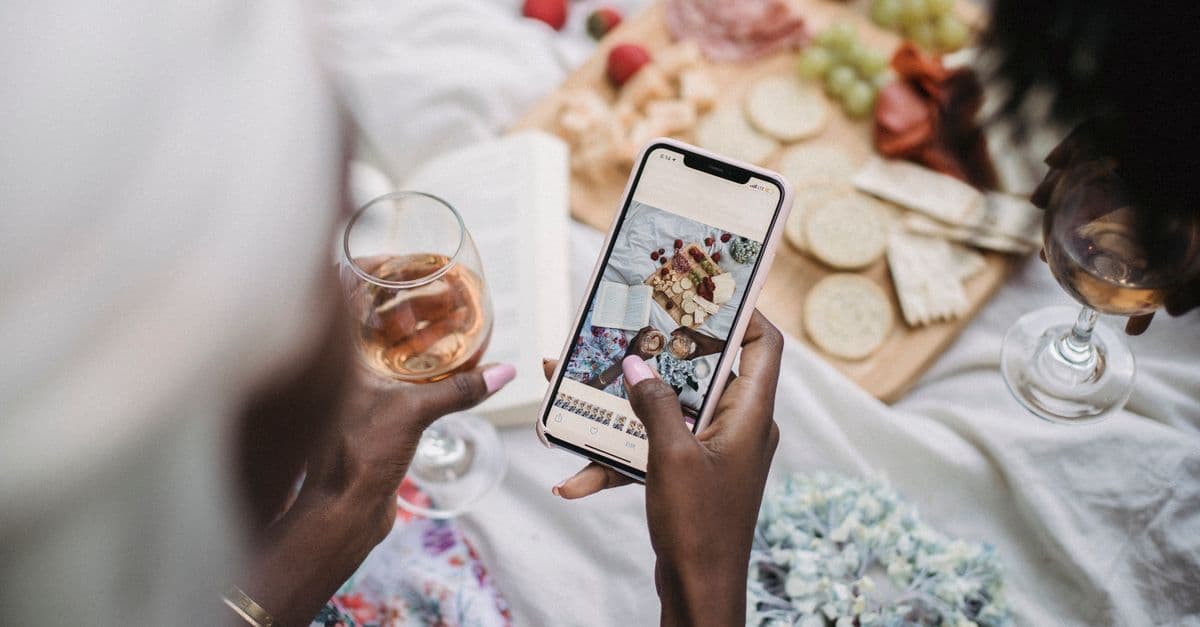
Facebook and Instagram ads work for restaurants when you run them like a local operator: tight geographic targeting, appetizing real photos, and a clear offer. You do not need a big budget or an agency. A few dollars a day can keep your best dish or your quietest-night promotion in front of the people who live and work near you — the only people who can actually walk through your door. The restaurants that waste money are the ones boosting a random post to a huge, undefined audience with no offer and no reason to act.
This guide covers whether Facebook ads are worth it for a restaurant, what they cost, how to target locally, which ad formats work, how to set one up in Ads Manager step by step, and a $5-a-day plan to start with.
Do Facebook ads work for restaurants?
Yes — with an important qualifier. Facebook and Instagram (both run through Meta's ad platform) are where people decide where to eat and broadcast where they have been. A well-targeted ad with a mouthwatering photo reaches nearby diners at low cost. But "boost this post" to everyone in a 50-mile radius is not a strategy. The value comes from three things working together: local targeting (only people who can realistically visit), strong creative (food that looks worth leaving the house for — see our food photography guide), and a clear ask (book a table, come to Taco Tuesday, try the new menu). Miss any one and the money leaks.
Unlike organic posts — where the algorithm shows your content to only a fraction of your own followers — a paid ad guarantees reach to an audience you choose. That is the core reason to pay: control over who sees you and how often.
A $5-a-day starter plan
A small daily budget goes further for a restaurant than for almost any other business, because your audience is tiny and local. You are not competing for a national market — you are reaching the few thousand people within a short drive.
- 5 dollars a day is about 150 dollars a month — enough to keep one strong offer or event consistently in front of your local area.
- Because the radius is small, that budget still reaches a real share of nearby people repeatedly over weeks, which is what builds familiarity.
- Meta lets you start very small and scale only what works, so your risk on any single test is a few dollars, not a few thousand.
Start at 5 dollars a day, let an ad run for at least a week to gather data, then move budget to the ad and audience that perform. Do not judge an ad after a day — give it enough time and impressions to be meaningful.
 A close-up of an appetizing gourmet burger, the kind of food photo that stops the scroll
How much do Facebook ads cost for a restaurant?
You decide the budget; the auction decides the price of each result. You set either a daily budget or a lifetime budget for a campaign, and Meta will not spend more than that. Within it, what you pay for each view or click is set by an auction, and Meta's pricing page lists what moves it: your ad's quality, your bid strategy, your goal and the audience you choose. That is why there is no honest single price per click for "restaurant ads": a tight local audience, a strong photo and a clear offer all push your cost down.
Meta's own advice for a first campaign is to start with at least $5 and run it for six days, so the system has time to learn who responds. That lines up with the plan above: $5 a day for a week is $35 to test an idea.
Your ad spend comes out of the same slice of the budget as rent and utilities. Under the 30/30/30 rule, that is the roughly 30 percent of sales that covers overhead, so keep ads small, measured and tied to results. For how much to spend across every channel, see the restaurant advertising overview.
How to set up a restaurant ad in Ads Manager
A boosted post is a shortcut with few controls. For proper ads, use Ads Manager:
- Connect your accounts. Set up a Meta Business account and connect your restaurant's Facebook Page and Instagram account, so one ad can run on both.
- Install the Meta Pixel on your website if you will send people there, so you can see which ads lead to bookings or orders and build retargeting audiences later.
- Create a campaign and pick its objective (see the table below). The objective tells Meta what to optimize for.
- Set the budget and schedule: a daily budget such as $5, or a lifetime budget with an end date for an event.
- Choose the audience: a radius around your address, plus light age or interest layers if you need them (more below).
- Choose placements: leave Advantage+ placements on, or pick Facebook and Instagram placements by hand (more below).
- Build the ad: format, photo or video, a short caption with the offer, and a call-to-action button such as Book now, Order food or Get directions.
- Publish, then leave it alone for about a week before judging it.
Choose the right campaign objective
For restaurants, three objectives cover almost everything:
- Awareness — get seen by the most nearby people for the lowest cost. Good for a grand opening, a new location, or building general familiarity.
- Traffic — send people to a specific page: your menu, your online-ordering link, or your reservations page. Good when you have a clear next step online.
- Engagement / leads — drive messages, event responses, or reservations. Good for events, and for building an audience you can retarget later.
Pick the objective that matches the action you actually want. Chasing "likes" rarely fills tables; sending traffic to a reservations page or promoting a specific event does. Meta's ads guide explains what each objective optimizes for.
| Objective | Best for | What Meta optimizes toward |
|---|---|---|
| Awareness | Grand openings, a new location, building familiarity | Lowest-cost reach to nearby people |
| Traffic | A clear online next step — menu, online ordering, reservations | Clicks to the page you choose |
| Engagement / leads | Events, reservations, building a retargeting audience | Messages, event responses, and leads |
 A busy corner cafe with people at outdoor tables, the local audience a radius ad reaches
Local audience targeting and lookalikes
Targeting is where restaurant ads live or die. Keep it local and simple:
- Radius targeting. Set a tight radius around your restaurant — often 3 to 10 miles depending on how urban you are. In a dense city, a couple of miles may be plenty; in a rural area, cast wider.
- Layer lightly. You can narrow by age, or by interests (foodies, brunch, craft beer, a nearby attraction), but do not over-narrow. A small local audience is already qualified; slicing it too thin starves the ad of reach.
- Lookalike audiences. Once you have a customer email list or enough website traffic, you can build a "lookalike" audience — new people who resemble your existing customers. This is one of Meta's most useful tools for restaurants, so building an email list pays off twice.
- Retargeting. Show ads to people who visited your site or engaged with your page but did not act. These warm audiences convert cheaply.
Meta's own audience targeting resources explain each option in detail.
 Hands scrolling a feed of food photos on a smartphone
Ad formats that work for restaurants
Meta offers several ad formats. Four do most of the work for a restaurant:
| Format | What it is | A restaurant example |
|---|---|---|
| Single image | One photo, a caption and a button | A close-up of your best-selling dish with "Book a table" |
| Video and Reels | A short vertical or square clip | Ten seconds of a pizza coming out of the oven, or a cocktail being poured, with "Order now" |
| Carousel | Two to ten swipeable cards, each with its own image and link | The new autumn menu, one dish per card, each linking to the menu |
| Stories | Full-screen vertical image or video between Stories | A Friday live-music night with the start time on screen and "Get directions" |
Start with single images and short video: they are the quickest to make from your own phone, and the easiest to compare.
Instagram placement: Facebook, Instagram or both?
One campaign in Ads Manager can run on Facebook and Instagram together. With Advantage+ placements turned on, Meta shows the ad wherever it is likely to get the result you asked for, across Facebook and Instagram Feed, Stories, Reels and its other surfaces, and moves budget to whatever is working.
That is the right default for most restaurants. Choose placements by hand only when you have a reason: for example, a vertical video made for Reels and Stories, or a younger crowd you already know spends its time on Instagram. Whatever you choose, use vertical (9:16) versions of your photos and video for Stories and Reels so they fill the screen.
Creative that converts
On social, the photo or video does most of the work. People stop scrolling for food that looks good and offers that feel worth it.
- Real, appetizing food photos. Bright, close, and true to what you serve. Your phone camera in good light beats a stock image every time. Never use fake or generic stock food — regulars will notice, and it erodes trust. (For sharper shots, a little natural-light technique goes a long way.)
- Short video. A few seconds of a dish being plated, a cocktail poured, or a full dining room reads as energy and draws the eye. Meta favors video reach.
- A specific offer or reason. "Taco Tuesday, 2-for-1 all night." "New autumn menu — book your table." "Live jazz this Friday." Vague brand ads underperform; concrete offers and events pull people in.
- A clear call to action. Tell people exactly what to do: Reserve, Order, Message us, Get directions. Use Meta's call-to-action button and repeat the ask in the caption.
 Hands holding a smartphone photographing a plate of restaurant food
Budgets, scaling, and measuring
Start small, then let the data lead:
- Run 2 to 3 ads with different photos or offers against the same local audience — a small, cheap test.
- Give them a week to gather enough impressions and clicks to compare fairly.
- Scale the winner. Move budget to the best-performing ad and pause the rest.
- Refresh creative every few weeks. The same photo shown too long to a small local audience goes stale ("ad fatigue"); rotate in new dishes and offers.
Judge results by actions that matter — link clicks to your menu or reservations page, messages, direction requests, event responses — not vanity likes. If you send traffic to your site, install the free Meta Pixel so you can see which ads drive real visits and build retargeting audiences.
Common mistakes to avoid
- Boosting posts with no offer or call to action. The most common money-waster.
- Targeting too broad an area. You pay to reach people who will never visit.
- Poor or fake photos. Dim, cluttered, or stock images kill performance and trust.
- Judging too fast. Turning an ad off after a day, before it has data.
- No tracking. Running ads with no pixel and no idea what converted.
Where to go next
Social ads are one lever. They work best alongside the channels that catch people at the moment of decision and keep them coming back:
- Restaurant marketing — the complete overview of how every channel fits together.
- Restaurant advertising — the full overview of paid and free channels and how much to spend.
- Food photography for restaurants — shoot the scroll-stopping images your ads live or die on.
- Paid search for restaurants — reach people actively Googling for a place to eat right now.
- Restaurant SEO — win the free map-pack and local listings that drive walk-ins.
- Restaurant email marketing — turn first-time diners into regulars, and fuel your lookalike audiences.
Frequently asked questions
Do Facebook ads work for restaurants?
Yes, for most local restaurants they work well, because you can put appetizing food and a clear offer in front of people who live or work within a few miles of your door. Facebook and Instagram are where people decide where to eat and share where they have been. The restaurants that get results treat it as local advertising with tight geographic targeting and strong food photography, not as a national brand campaign. The ones that waste money boost random posts to a broad audience with no offer and no call to action.
How much do Facebook ads cost for a restaurant?
You set the budget yourself, as a daily or a lifetime amount, and Meta never spends more than it. What each click or view costs is set by an auction and depends on your audience, your ad's quality, your bid strategy and your goal, so there is no fixed price. Meta's own pricing page suggests starting with at least $5 and running for six days so its delivery system can find the right people. For a local restaurant, $5 a day is about $150 a month.
Is $5 a day enough for Facebook ads?
For a local restaurant, yes, 5 dollars a day is a realistic starting budget. Because you are targeting a small radius around your location, a small daily budget still reaches a meaningful share of nearby people over a week or a month. Five dollars a day is roughly 150 dollars a month, enough to keep one solid offer or event in front of your local audience consistently. Start there, see which ads perform, then put more money behind the winners.
How do I advertise a restaurant on Facebook?
Set up a Meta Business account and connect your restaurant's Facebook Page and Instagram account. Choose a clear objective (awareness, traffic to your menu or reservations page, or engagement). Target a tight radius around your restaurant, and optionally narrow by age or interests. Use your best real food photos or a short video, write a caption with a specific offer and a call to action, set a daily budget, and publish. Watch the results for a week, then scale up what works and turn off what does not.